View payment receipts
Any successful payment in Swiftlier will automatically create a receipt.
They can be viewed and downloaded from both the Orders and Billing tabs.
Viewing a receipt in the Orders or Billing Tab
To view the receipt for any payment in either tab the process is the same:
The Invoice and payment information can be seen at the bottom of the tab.

To view the receipt for any payment click the the three dots  to the right of the magnifying glass and payment information.
This will open a dropdown menu. Click Receipt 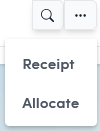
to open a new browser tab containing the receipt for that payment.
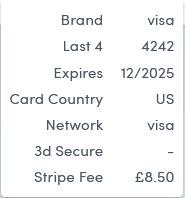
If the payment has been taken through Stripe you can also click the magnifying glass button to view Stripe specific payment information such as the Stripe Fee.