Room hire summary
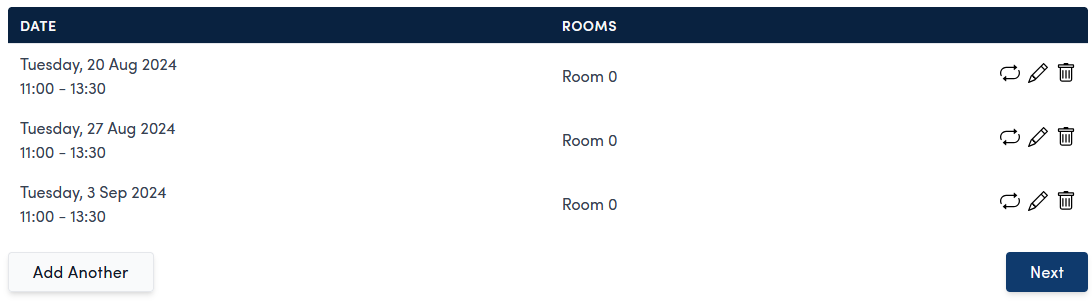
This page summarises the room you have selected for hire. This allows you to quickly confirm that you have selected the correct details. You can see the date, time and rooms booked. From here you can edit, remove and add recurring bookings.

Edit room hire
Change the date, time or rooms by using the pencil icon  to the right of the item
Remove room hire
To remove an room, use the bin icon  to the right of the item
Book repeats
To book a recurring room hire, use the repeat icon  to the right of the item, or the
  button.
Choose how frequently, what day and how many times you want to repeat the hire and click the  button.
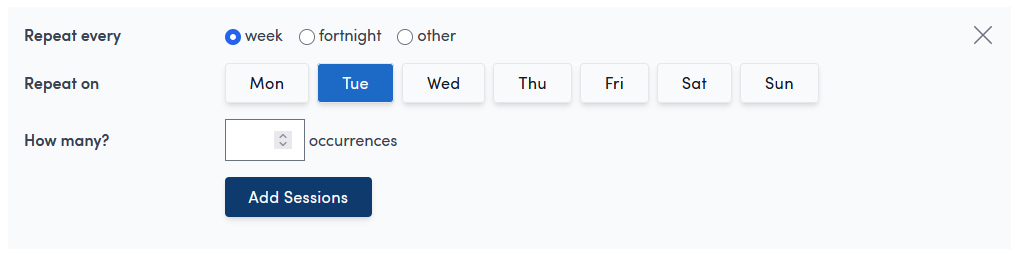
The sessions will them be added to the summary. Each one can be edit or remove as required.
Book another room
Use the  button to add another room.