Review booking
The final page of the booking process is the review page. Here you can check an overview of all the details you entered so far.
Summary
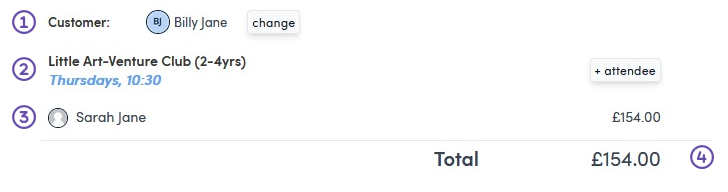
In the left hand panel you can see the customer (1), what course, day and time you have booked (2), who is attending (3) and how much the booking will cost (4).
Use  to add more participants to the same course.
Use  next to the customer to change the customer on the booking.
Add another item to the booking
Use  in the right hand panel at the bottom, if you need to add another booking item.