Add a person or organisation
Add a person
On the People & Organisations page click the Add a person button in the top right corner.

This will take you to the Add a new person form.
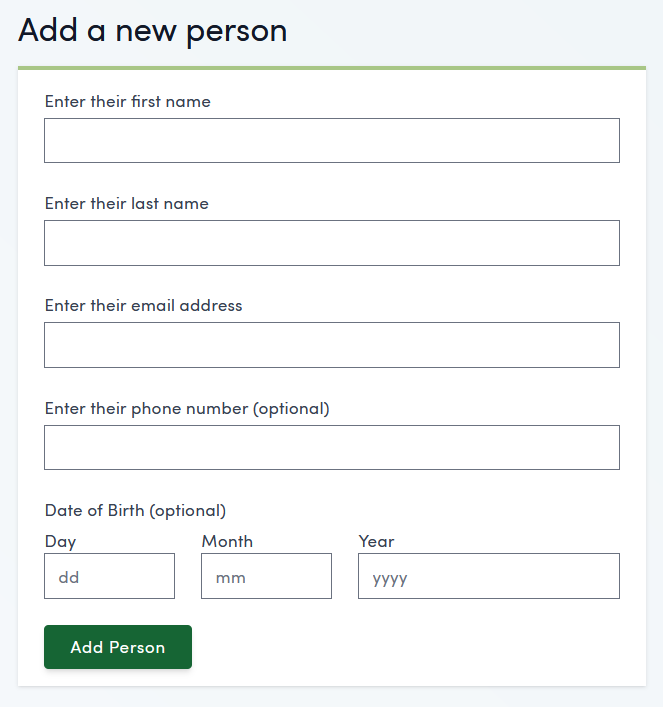
Fill in the relevant details for the new person and click Add Person.
This will take you to the newly created page for that person. Here you can add basic information, relationships, notes, initiate bookings, invite and manage user roles, edit medical alerts and update consents for that person.
To find out more about these actions go to Customer management
This person will now appear in the People & Organisations page.
Add an organisation
On the People & Organisations page click the three dots button, to the right of the Add a person button in the top right corner.
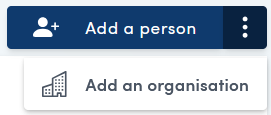
Then click Add an organisation from the drop down menu.
This will take you to the Add a new organisation form.
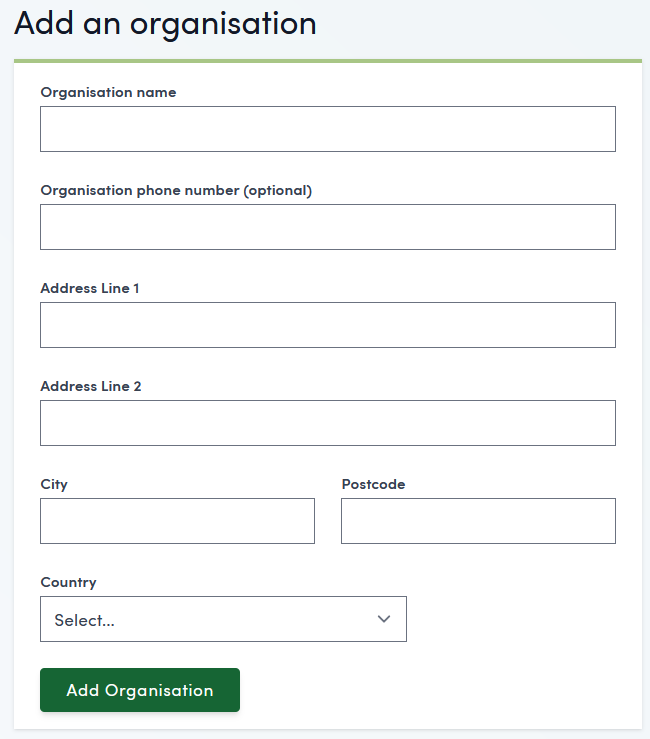
Fill in the relevant details for the new organisation and click Add Organisation.
This will take you to the newly created page for that organisation. Here you can add basic information, notes, initiate bookings and add employees of that organisation.
This organisation will now appear in the People & Organisations page.