Dashboard
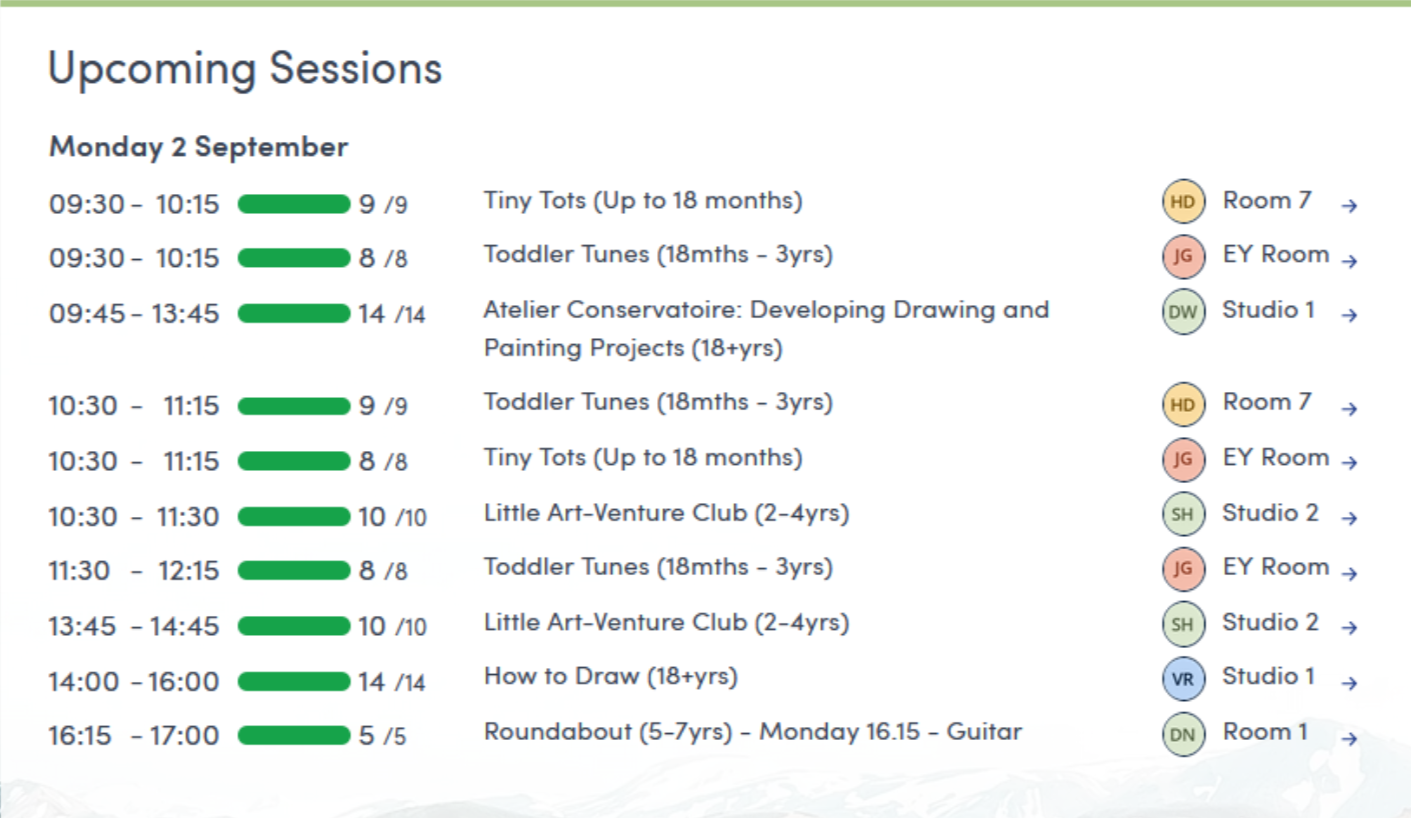
The Swiftlier dashboard is your one-stop shop for what is currently happening in your business. You can quickly see orders that have recently been placed, upcoming sessions and any outstanding actions.
Get to the dashboard from the left hand menu using the home icon 
Actions required
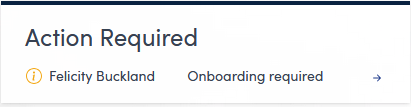
The Actions Required panel shows any important tasks that need completing. In this example an attendee needs onboarding, you can click on the arrow to navigate to the record to address this issue.
Recent orders
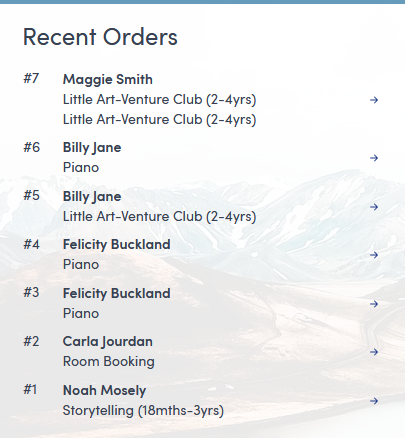
The Recent Orders panel displays the most recent bookings that have been made in the system. Use the arrow next to an order to go to the customer record and see more information about the booking.
Upcoming sessions
The Upcoming Sessions panel shows the next classes. Use the arrow next to a class to go to the class overview.