Registers
Registers allow you to record who attended each class.
Create a register
From the class overview screen use the three-dot icon  to view the available actions and choose
Note: not all actions may be available to all users
After creating a register you will immediately be taken to the edit register page. You can also edit a register from the class overview; in the right hand panel, to the right on the attendees you can see any registers you have created for the class. Click the Edit link to update the information.
Record a register
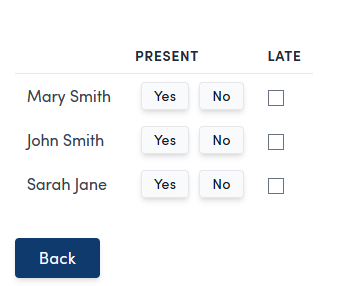
On the edit register page (see above on how to get there), you can see each attendee and record if they attended the classes. Click the back button once you are done to return to the class overview.
Print a register
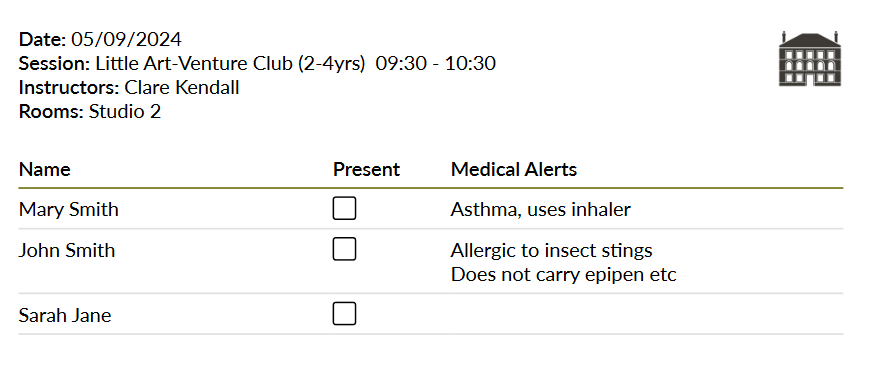
You can print the attendence for a class, allowing a register to be recorded offline and entered later.
From the class overview screen use the three-dot icon to view the available actions and choose 
This will generate you a printed version of the attendence list, including any medical alerts.